Download RTS Siege Up APK 1.3.42r6 for Android
ABUKSIGUN APK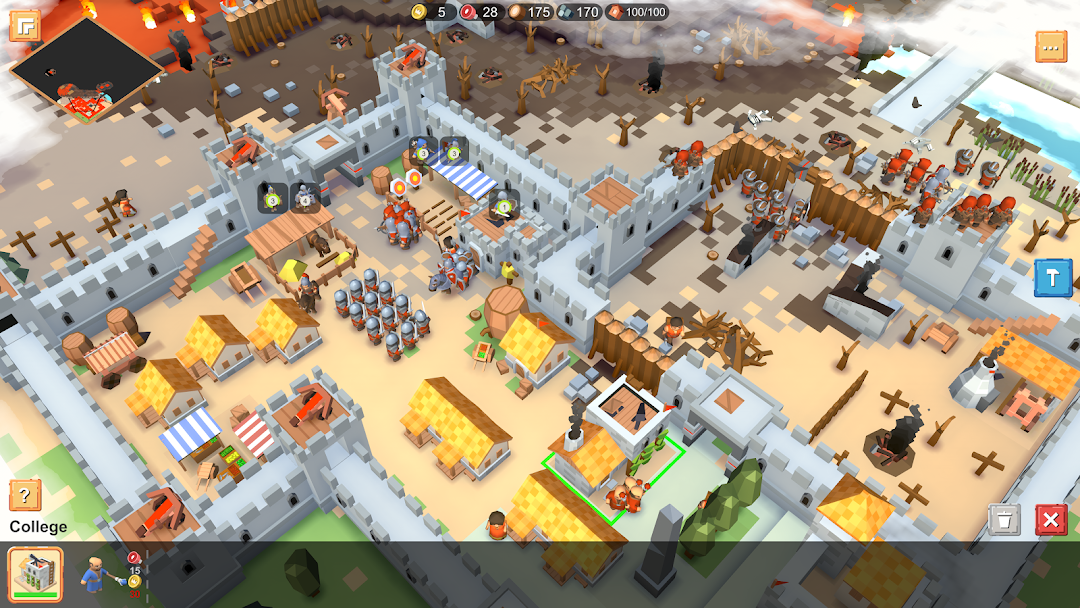
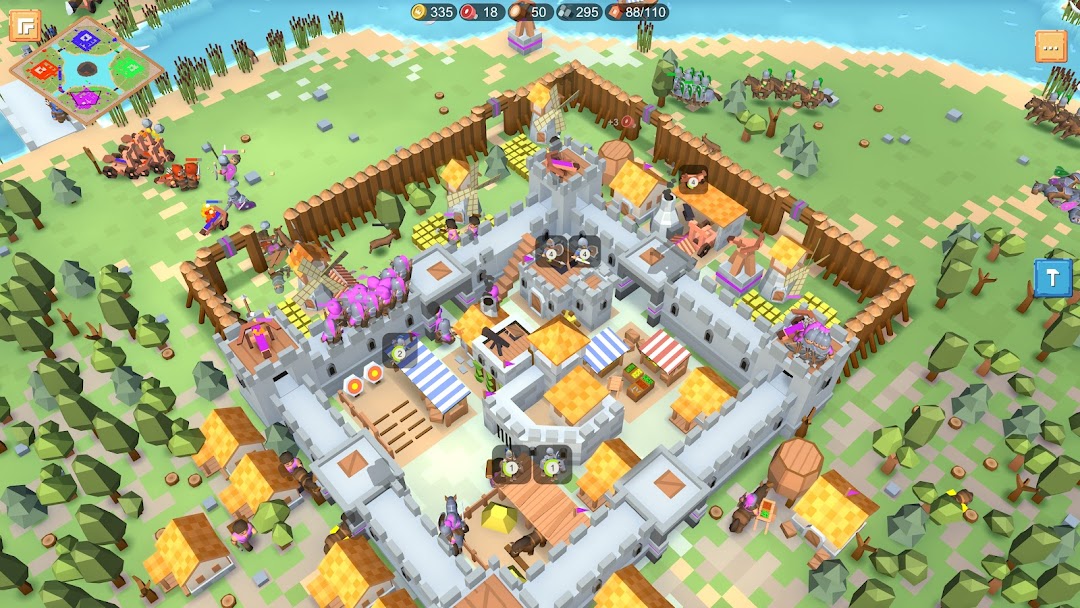
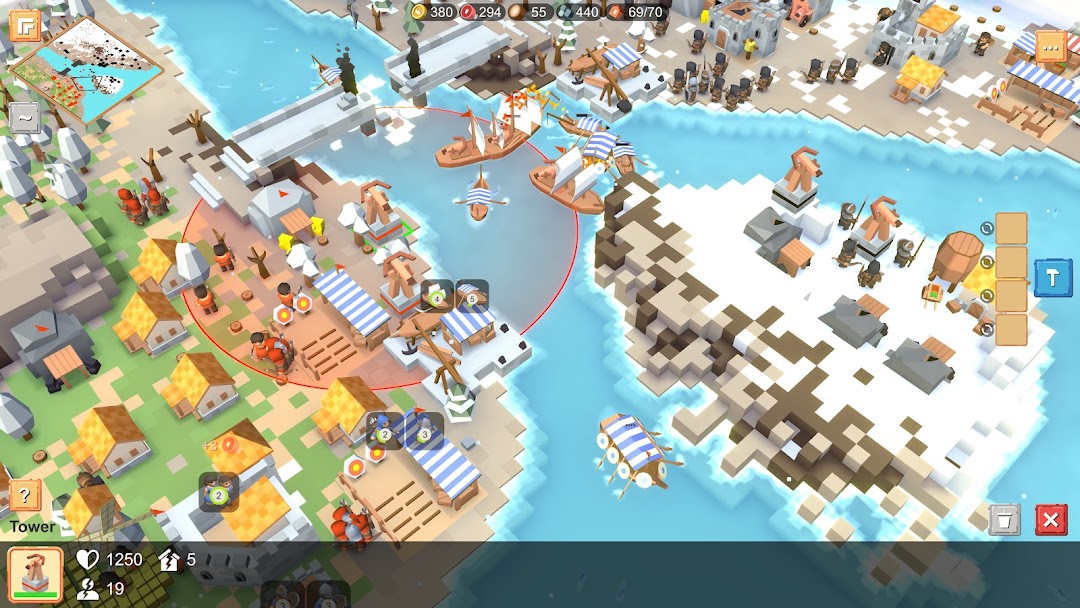
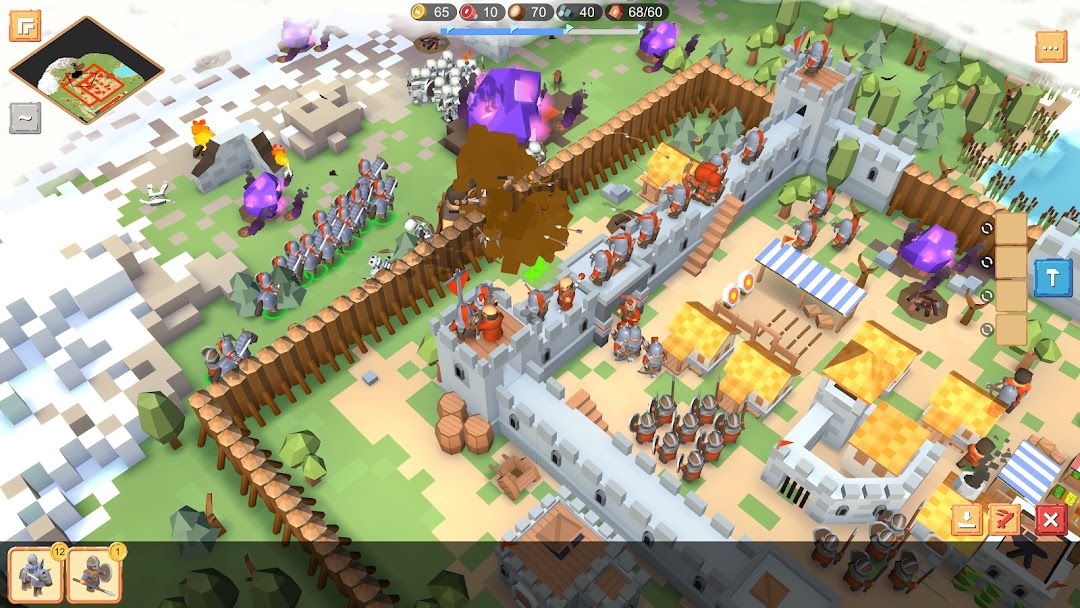
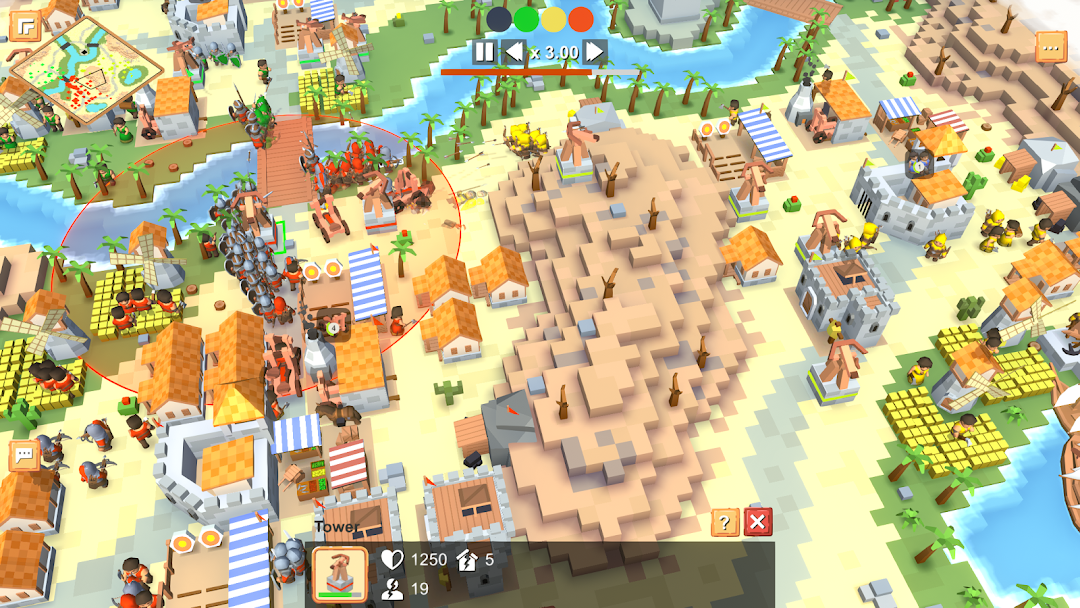
| Name | RTS Siege Up! - Medieval War |
|---|---|
| Publisher | ABUKSIGUN |
| Version | 1.3.42r6 |
| Size | 51MB |
| Requires | Android 4.4 |
| Get it on | Google Play ↗ |
| Category | Strategy |
| Downloads | 785 |
| Price | FREE |
| Rating |
★
★
★
★
★
5/5
(1)
|
| Author | |
| Updated |
RTS Siege Up is one of the few mobile strategy games where a win cannot be bought, which is exactly why the “unlimited resources” mod everyone searches for matters far less than the download pages suggest.
RTS Siege Up, full name RTS Siege Up! – Medieval War, is a classic real-time strategy game built by indie developer Denis Zdorovtsov for Android, iOS, and PC. It leans hard into the feel of Warcraft and Age of Empires: you gather resources, raise a castle, train an army, and break the enemy in real time. What sets it apart is the economy. There are no timers, no boosters, and no pay-to-win shop, so the usual reasons people chase a modded APK barely apply. That one fact should shape how you think about the version you download.
- What RTS Siege Up actually is
- How the game plays
- Units, buildings, and siege warfare
- Campaign, multiplayer, and the level editor
- Is RTS Siege Up free, and what do you pay for?
- RTS Siege Up MOD APK: what the modded version changes
- The built-in cheats most mod pages skip
- How to download and install the APK safely
- Tips to win your first battles
- Is it safe and legal? Risks worth knowing
- Who should play RTS Siege Up
- Frequently asked questions
- Conclusion
What RTS Siege Up actually is
RTS Siege Up is a low-poly, old-school real-time strategy game set in a medieval fantasy world. It is developed and published by Denis Zdorovtsov (under the studio name Abuksigun), an indie developer based in Tokyo, and it runs on Android, iOS, and PC with cross-play between platforms. The Android package is com.abuksigun.rpg_prototype, and the current build is version 1.3.42r6.
The pitch is simple. You control a medieval faction, build an economy, and fight skill-based battles that usually run 10 to 20 minutes. The game has been in active development for several years, growing from early builds like 1.1.106 in 2024 into the feature set it carries today. The developer has stated plans to add more playable races and expand the tech tree, so the content keeps changing release to release.
How the game plays
The core loop is the classic RTS rhythm: collect resources, build structures, train troops, and command them directly in real time. There are no artificial wait timers slowing you down, so the pace depends entirely on how fast you can manage your economy and your army at the same time.
A typical match opens with you setting up resource gathering and putting down a defensive tower or two early, because raids come quickly. From there you expand into barracks, set rally points for fresh troops, and decide whether to turtle behind walls or push out. Battles stay short by design, which keeps the focus on decisions rather than grinding. An autosave and replay-recording system runs in the background once you enable it in settings, so you rarely lose progress mid-session.
Units, buildings, and siege warfare
Combat is built around a small but readable roster. You raise archers, melee fighters, and cavalry, then use siege weapons such as catapults to crack open enemy defenses. Walls come in stone and wood, and they can only be destroyed by siege equipment, which gives defenders a real bonus and makes the “siege” in the name mean something.
Naval play adds another layer on water maps. Transport ships and fishing boats let you ferry troops, capture scattered resources, and open up flanks that a purely land army cannot reach. The wall-and-siege concept is the part the developer wanted to push further than most RTS titles do, and on larger maps it changes how you read the terrain.
Campaign, multiplayer, and the level editor
RTS Siege Up gives you three very different ways to play, and that breadth is a big part of its appeal. The single-player campaign runs 26 missions, each with its own mechanics, and it works offline once downloaded.
Multiplayer is where the game stretches. It supports online PvP and PvE, Wi-Fi matches, spectator mode, in-game chat, reconnection, and team play with or against bots, all with cross-play to PC. On top of that sits a level editor close to visual scripting, with triggers, dialogs, and custom rules. The community has already shared a library of more than 4,000 player-made missions, so the playable content runs well past the official campaign. If you like building as much as battling, this editor is a genuine reason to pick the game over slicker but more closed competitors.
Is RTS Siege Up free, and what do you pay for?
RTS Siege Up is free to download with optional in-app purchases, and the core game works without spending anything. This is the detail that reframes the whole “mod” conversation. Resources are gathered in matches, not bought, and the developer has been explicit that there are no boosters, timers, or pay-to-win mechanics.
In other words, the things a typical “MOD APK” promises to unlock, like premium currency or removed paywalls, mostly do not exist here. The optional purchases lean toward supporting an indie developer rather than buying an advantage. That matters when you weigh a modded build against the official one.
RTS Siege Up MOD APK: what the modded version changes
The modded APKs floating around mostly advertise “unlimited resources,” which gives you an endless economy from the first second of a match. In practice that turns the game into a sandbox: you can spam units, test wall layouts, and try strategies without grinding resources first.
That can be fun for offline experimenting or for learning how compositions trade against each other. But it is worth being honest about the trade-off. An unlimited-resource build removes the economic pressure that makes RTS Siege Up tense in the first place, and it has no place in fair online matches. A modded client can also break cross-play, fail to connect to public servers, or get an account flagged under the game’s terms. Since the base game is already free and skill-based, the modded version solves a problem most players here do not actually have.
The built-in cheats most mod pages skip
Here is the part almost no download page mentions: RTS Siege Up ships with its own cheat menu, on purpose. The developer treats cheats as part of the old-school RTS tradition, so there is a cheats button near the minimap that lets you skip levels and unlock content faster, and the whole thing can be switched off again in settings.
This changes the math completely. If your goal is to mess around in a private sandbox, unlock missions quickly, or test a build without grinding, you can do that inside the official, clean app without ever sideloading a modified file. For most people, the safe official build plus the built-in cheats covers what they were hoping to get from an “unlimited” mod, with none of the malware risk. That is the single most useful thing to know before you go looking for a modded APK.
How to download and install the APK safely
The safest route is the official one: install RTS Siege Up from Google Play or the App Store, where updates and security checks are handled for you. If you do install an APK manually instead, the process is standard Android sideloading and nothing more exotic than that.
To sideload, you download the APK file, then allow your browser or file manager to “install unknown apps” when Android prompts you, and open the file to install. The one habit worth keeping is to switch that “install unknown apps” permission back off the moment you are done, so a future download cannot install something without asking. Only take APK files from a source you actually trust, and check that the version matches the current 1.3.42r6 release rather than a stale, repackaged build.
If you want a curated, up-to-date copy of the game and its mod options in one place, you can start from the MODLMH homepage and find the current build there.
Tips to win your first battles
The fastest way to improve is to fix your opening, because most early losses come from a weak economy and no defense. Get resource gathering running immediately, then place one or two towers before you spend anything on offense. A single tower buys you the time to recover from an early rush.
A few habits that pay off as you climb:
- Set rally points in the barracks so fresh troops walk straight to where the fighting is, instead of clustering at home.
- Respect the walls. Do not throw cavalry and melee at stone walls. Bring catapults or other siege units, since walls only fall to siege equipment.
- Use control groups and the minimap. RTS on a touchscreen is harder than on PC, and grouping your army is the difference between a clean push and a scattered mess.
- Scout before you commit. Short 10 to 20 minute matches punish blind attacks, so know what you are walking into.
If controlling tiny units on a phone frustrates you, switch to portrait orientation, which the game fully supports, and lean on army-selection shortcuts rather than tapping individual troops.
Is it safe and legal? Risks worth knowing
The official app is safe; the risk lives entirely in third-party modded APKs. Files from unknown sites can carry malware or token-stealers, and a modified client can be silently bundled with code that has nothing to do with the game. Because RTS Siege Up is free and not pay-to-win, you are taking on that risk for very little real reward.
There is also a fairness and account angle. Using a modded build in online modes can get an account flagged under the game’s terms, and it undercuts the skill-based matches the game is designed around. Worth a clear distinction here: RTS Siege Up officially supports modding and a level editor, so creating custom maps and game modes inside the game is encouraged. That is not the same as running a cracked or resource-hacked APK against other players, which the developer did not intend. If you enjoy the game, the most respectful move toward a solo indie developer is to keep playing the clean build and, if you can, support it.
Who should play RTS Siege Up
RTS Siege Up is best for players who miss real, skill-first strategy on mobile and are tired of timer-gated, pay-to-win clones. If you grew up on Age of Empires or Warcraft and want short matches you can finish on a break, this is one of the closest things on Android and iOS. The level editor and the huge library of community maps make it a strong pick for tinkerers too.
It is a weaker fit if you want polished, hand-holding production values or automated troop behavior, since it is an indie game in active development and controlling small units on a touchscreen takes practice. Players looking for a slot-machine progression system will not find one here, which is the whole point.
Frequently asked questions
Is RTS Siege Up free? Yes. It is free to download with optional in-app purchases, and the full core game, including the campaign and multiplayer, works without paying. There is no pay-to-win economy.
Can I play offline? Yes for single-player. The 26-mission campaign and custom maps run offline once downloaded. Online PvP and PvE need a connection, though local Wi-Fi matches are also supported.
Does it have cross-play with PC? Yes. Android, iOS, and PC players can compete in the same online matches, which keeps the player pool larger than mobile alone.
Is the RTS Siege Up MOD APK safe? A modded APK is only as safe as its source, and the risk is rarely worth it here. Unknown sites can bundle malware, and the game already includes a built-in cheat menu you can enable in settings, so most “unlimited resources” use cases are covered by the clean official app.
Do I need the mod at all? Usually not. Because resources are earned in-game and there is no paywall to bypass, the official build plus its optional cheats gives most players everything a mod promises, without the security trade-off.
Conclusion
RTS Siege Up earns its place as one of the better skill-based strategy games on mobile precisely because it refuses the shortcuts most of its rivals sell. Resources are gathered, not bought, the campaign and multiplayer are deep, and the level editor gives the game a long tail of community content. For nearly everyone, the right move is the official build from Google Play or the App Store, with the in-game cheat menu handling any urge to experiment. If you do sideload version 1.3.42r6, take it only from a source you trust, keep “install unknown apps” switched off afterward, and avoid using modified clients online. Start with a tight economy and an early tower, and you will see why this game keeps pulling old RTS fans back.
Vô hạn tài nguyên
Vô hạn tài nguyên
Mở khóa tất cả, Không có quảng cáo
Install the official, unmodified build straight from Google Play.
Android emulator to run RTS SIEGE UP! - MEDIEVAL WAR APK smoothly on PC.